About Dad of Record6 min read
The tool
The Dad of Record app is shaped like a case file. It starts with one question, what was I served, and adds a step at a time. Quotes come from your papers and deadlines from a written rule, each shown with its source.
How to read this page
- EDCR 5.502(c) Grey labels are the names of court rules. They show where a fact comes from, so anyone can check it. There's no need to look them up.
- underlined word A court word. Hover over it, or tap it, for what it means.
- works today Works now, on the sample case.
- coming Being built. Not available yet.
The Guide
Every father starts in the Guide: one step on screen, one button to continue, and the list of steps beside it (a strip across the top on a phone). Nothing is locked. Any step opens when you ask for it.
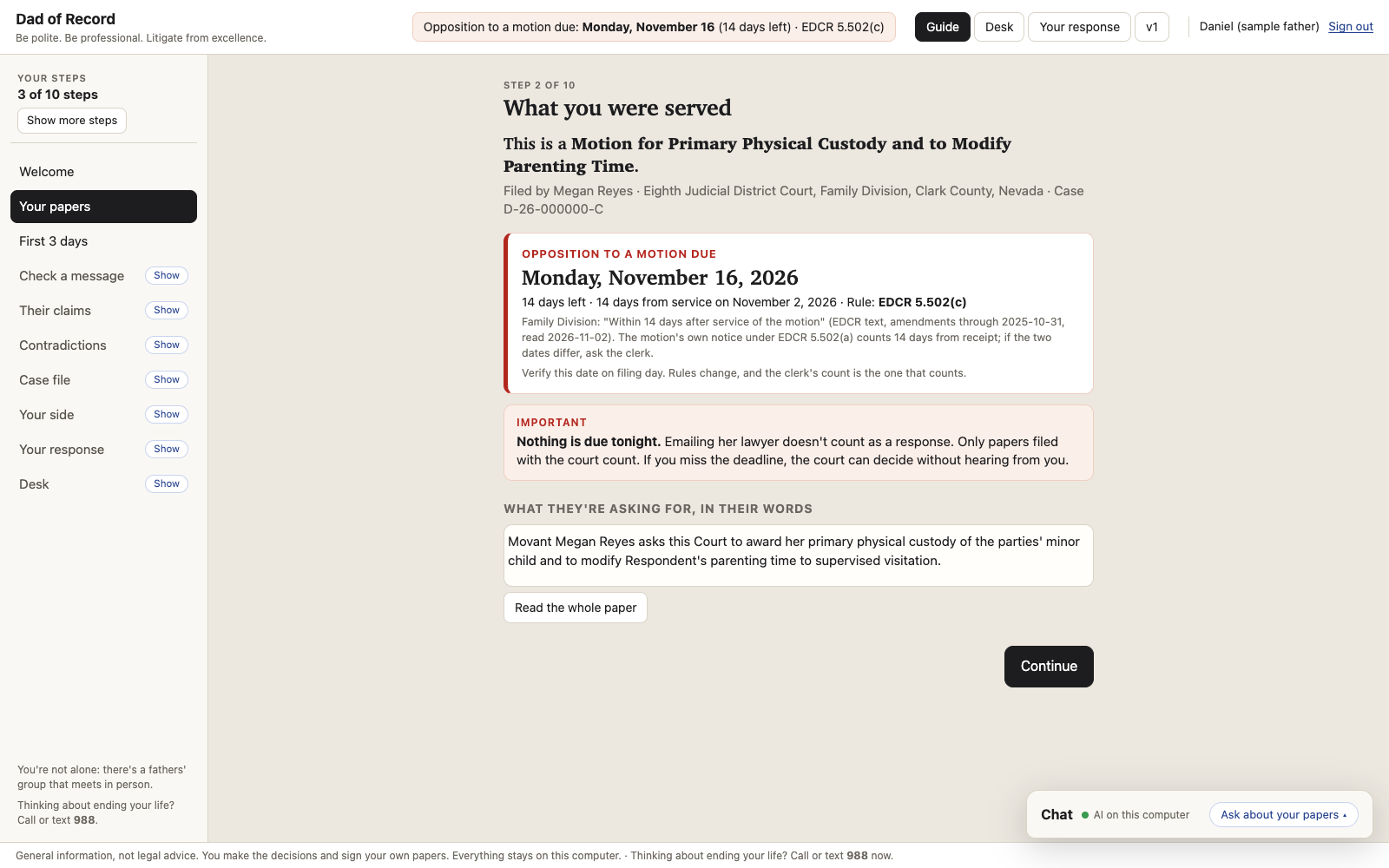
The steps:
- Welcome. What Dad of Record is for, and three commitments fathers who do well make out loud. Making them is optional.
- Your papers. What you were served: the paper, who filed it, the court, the deadline and its rule, and what they're asking for in their own words.
- First 3 days. What fathers who do well tend to do, each line with its source in the Rules. "Add to calendar" makes a calendar file on your computer with the date, the rule and the verify note.
- Check a message. Second Read, before you send anything. The screen is built; it switches on with the next server update.
- Their claims. The facts their motion asserts, in its words, with absolute words like "never" marked.
- Contradictions. Their motion next to their own exhibits.
- Case file. What they sent, what you wrote, and the dates. Adding your own documents is next.
- Your side. A place to tell it the way it comes out; nothing there is sent to anyone. The screen is built; the AI's questions come with the next server update.
- Your response. Your paper, in the court's format.
- Desk. The whole case at once.
Contradictions
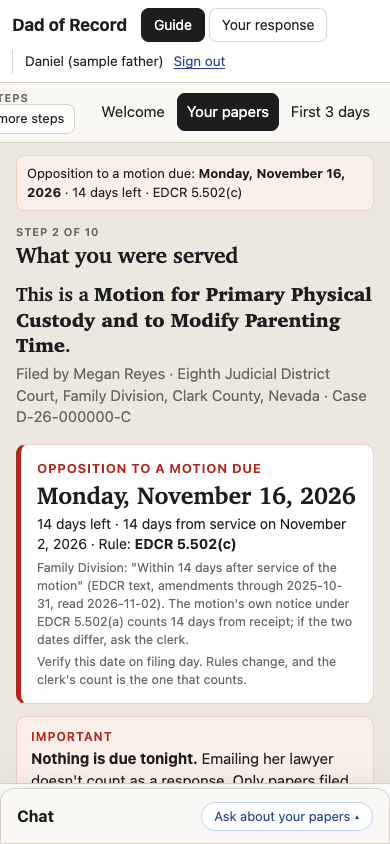
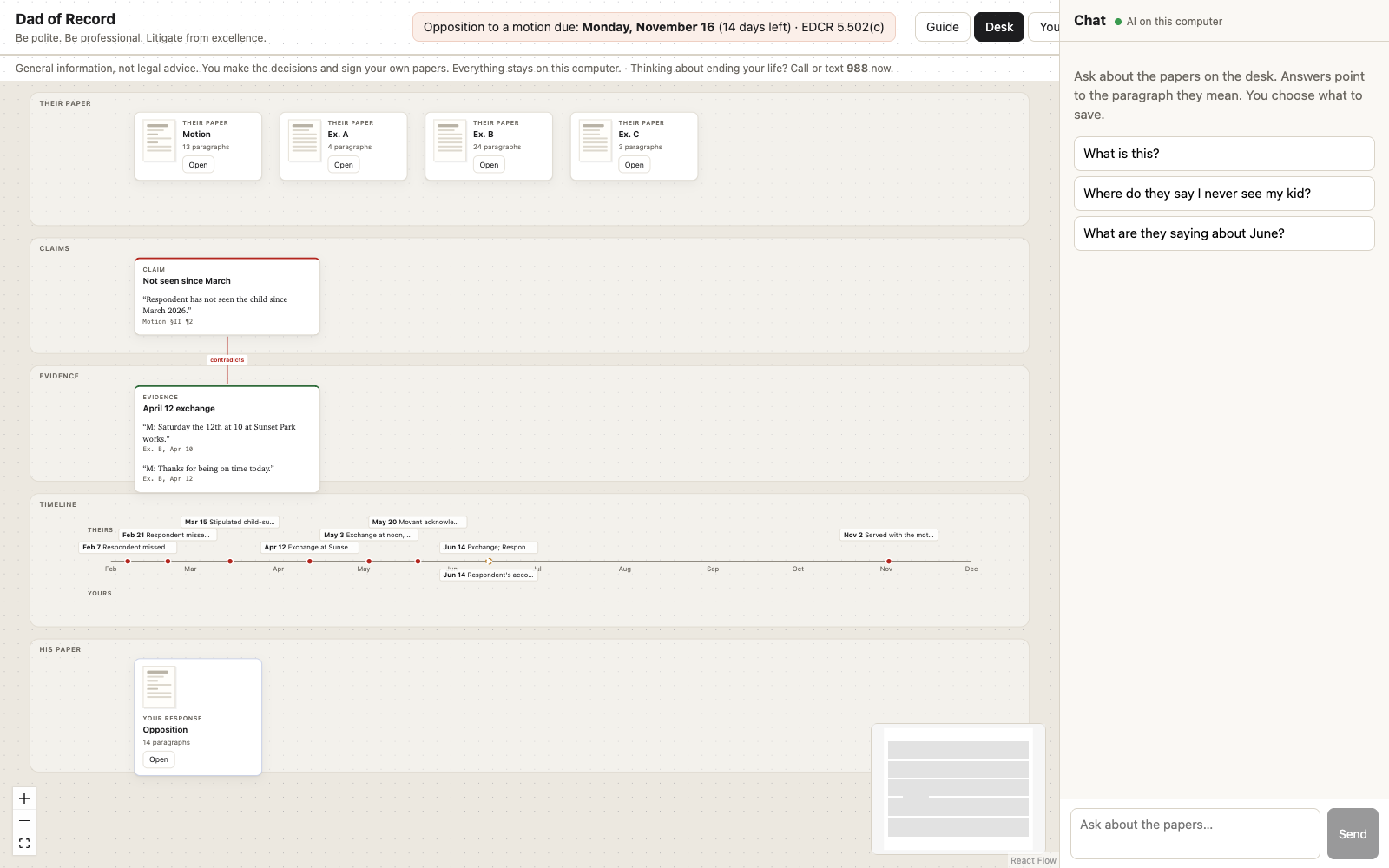
The tool puts a sentence from their motion next to what their own exhibit says. Both sides are quoted word for word, with the page and paragraph each came from. Every quote is checked against the page first; a quote that can't be found there is dropped, not shown. No adjectives are added: the two quotes do the work.
Chat
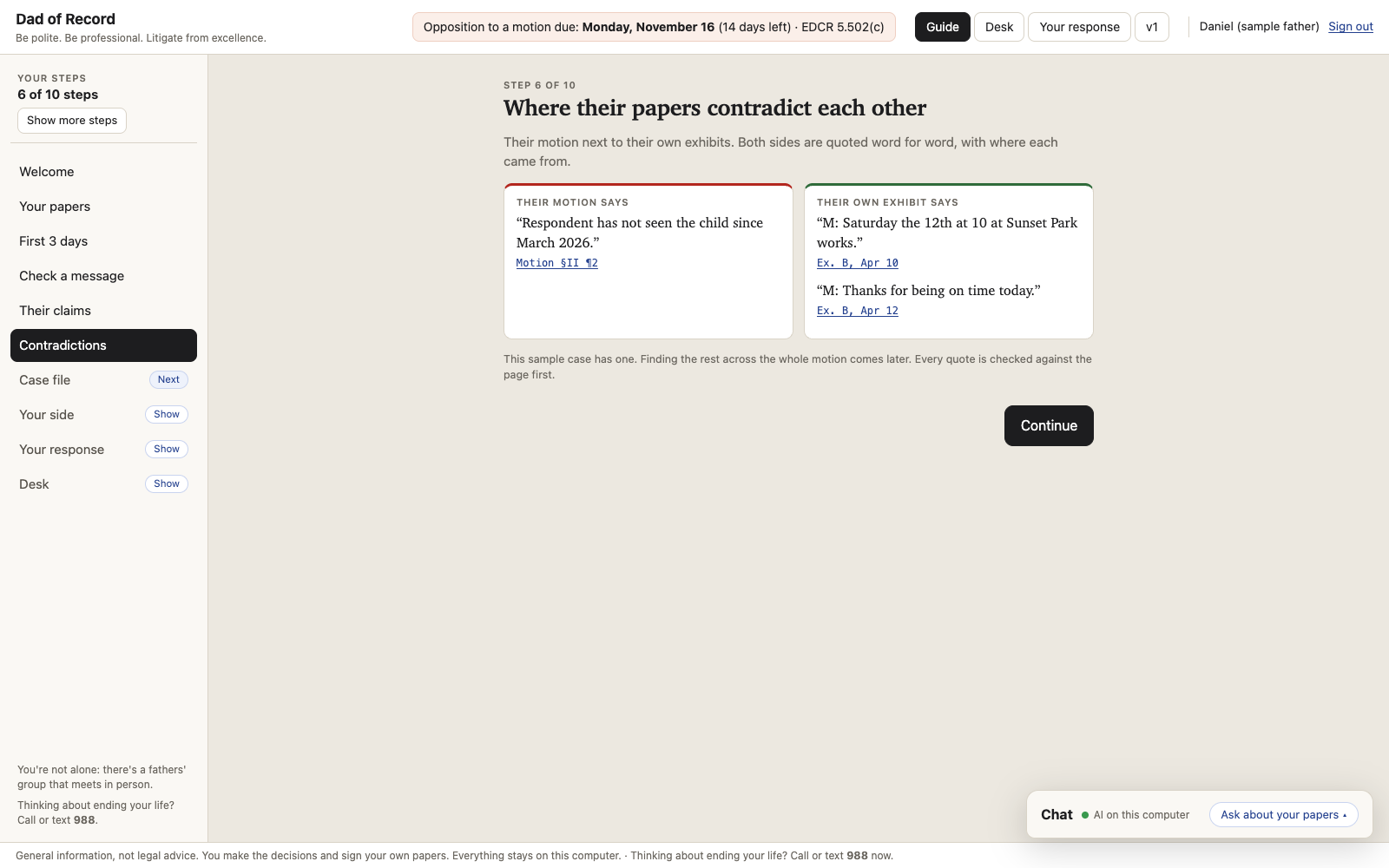
Chat is an AI: Claude on the hosted service, or an open model on your own computer (where your documents go). Ask about the papers, and the answer points to the paragraph it means. You choose what to save. A sentence that sounds like advice about your case is held back, and the screen says so: what to file, and whether to, is your decision.
Your response
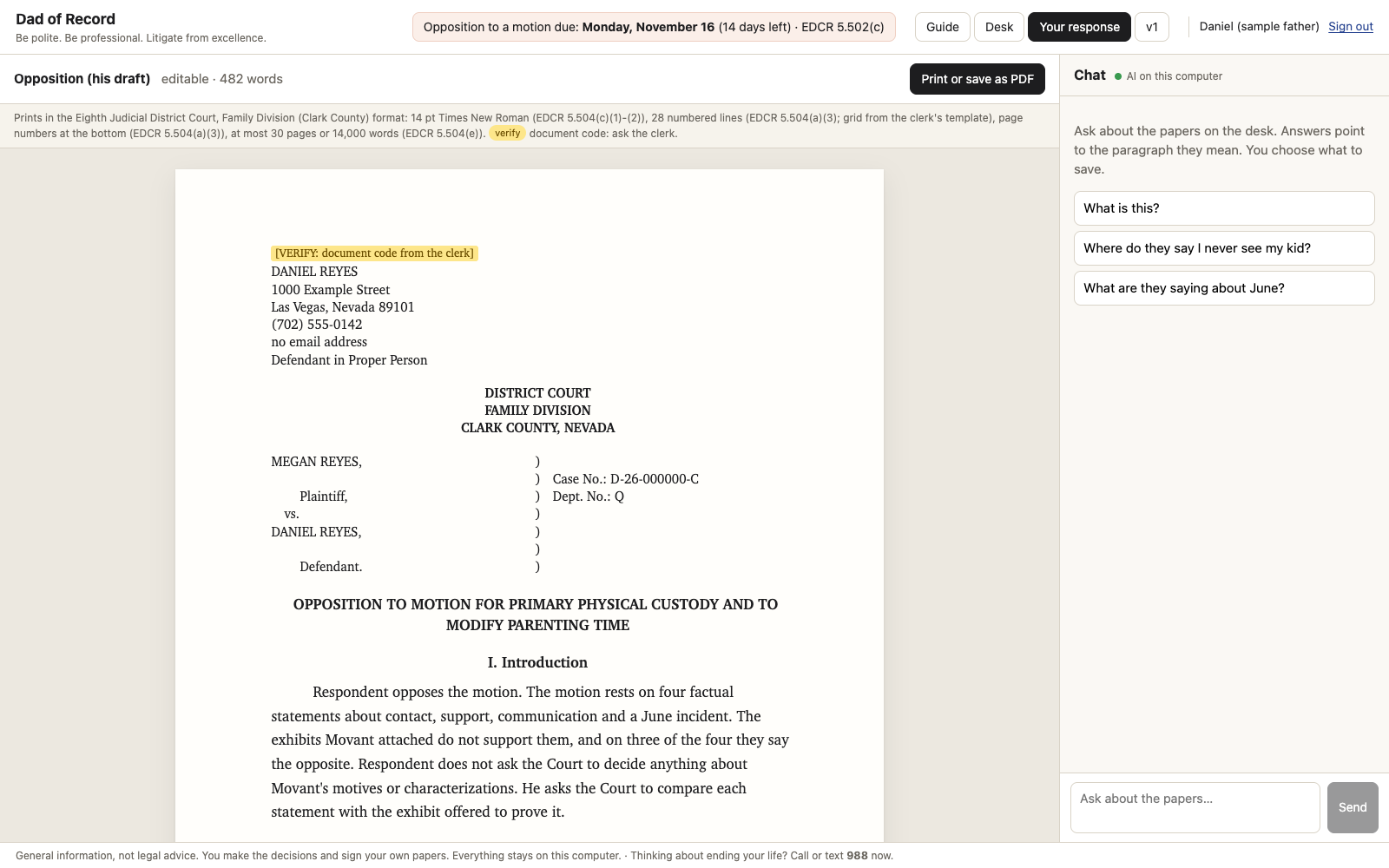
Your response is the paper you write, set in the court's format from the court's own rules. For Clark County's Family Division that means 14-point type, numbered lines, page numbers at the bottom, and the length limit, each with its rule printed above the page. Print it or save it as a PDF. You write it, you decide whether to file it, and you sign it.
The Desk
The Desk shows the whole case at once: their papers, their claims, the evidence, a timeline, and your response, as cards you can drag. Lines show what contradicts what. It needs a wider screen, like a laptop.
What works today, and what's coming
Dad of Record is being built now. The current build runs on one computer, on the sample case.
Works today, on the sample case:
- The Guide, one step at a time works today
- The deadline, the rule it comes from, and "verify on filing day", for Clark County's Family Division works today
- The Important box: only papers filed with the court count works today
- Their claims in their own words, with absolute words marked works today
- Contradictions from their own exhibits, quoted and checked against the page works today
- Second Read, in the engine and the first version of the app works today
- Chat with an AI on your own computer works today
- Your response in the court's format, printed or saved as a PDF works today
- The Desk, and "Add to calendar" works today
Coming:
- Adding your own papers: a photo or PDF of what you were served, and your messages coming
- Second Read inside the new Guide coming
- Your side: the AI asks one question at a time, about dates and documents coming
- An email address of your own, to forward messages into your case file coming
- Virginia in the app (the template is drafted and waiting on a second reader) coming
- Other states: the rule found by search, with its source and a verify flag coming
- Using it from your phone coming
- The hosted service, for a phone or a computer that can't run the AI, with one plain screen before you start about where your documents go coming
- The online group coming
What it needs
The current build runs on a Mac with Apple silicon. The AI is Gemma 4, an open model, running on the same machine; in our tests it used about 14 GB of memory. The deadline, the Important box, their claims, the contradictions already on file, the Case file and Your response don't need the AI. Chat, and finding new contradictions in a motion, do.
Pricing is being set. It will be priced for fathers, not billed by the hour.
[for Josh: how a father gets access (sign-up, waitlist or download)]